

Back

Srithin Raveendran
Wandering, and will ... • 20d
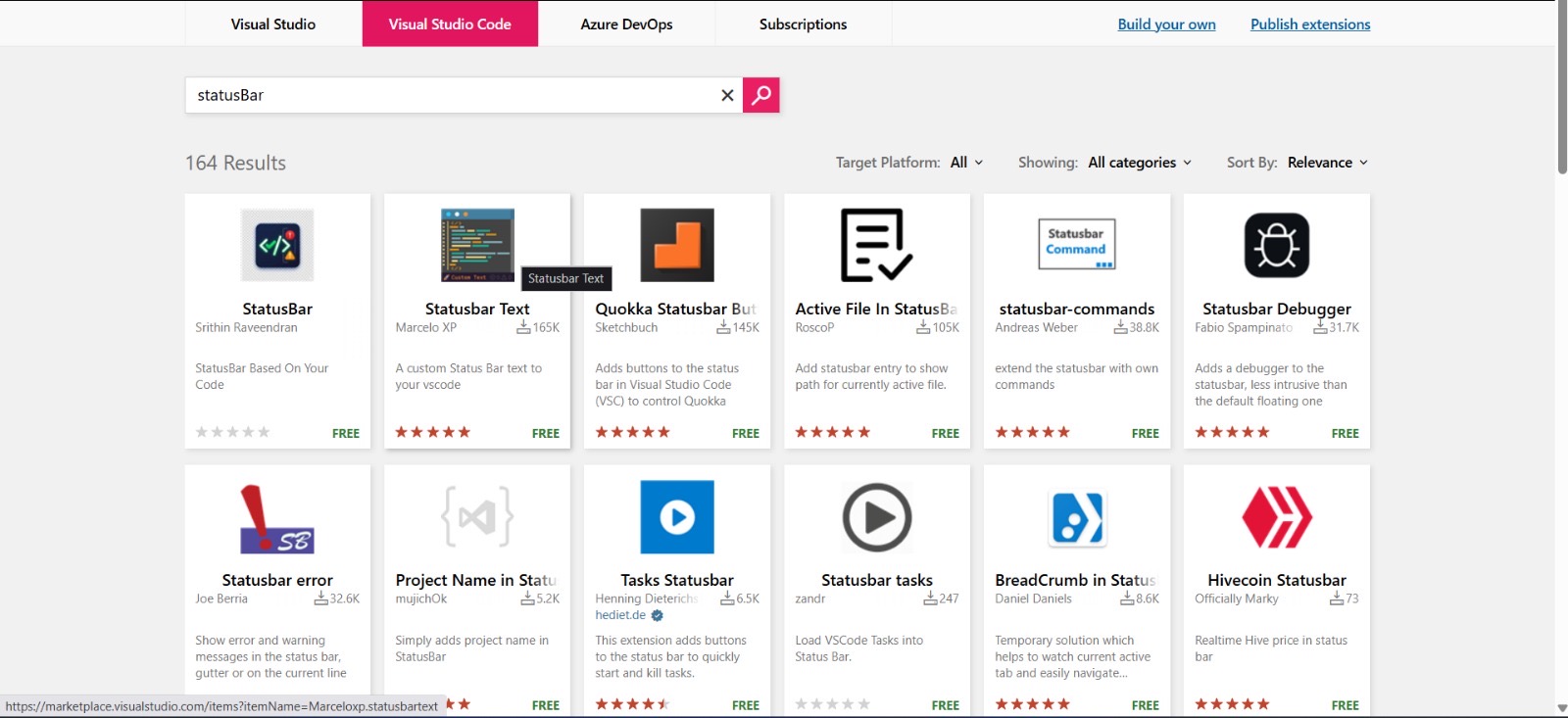
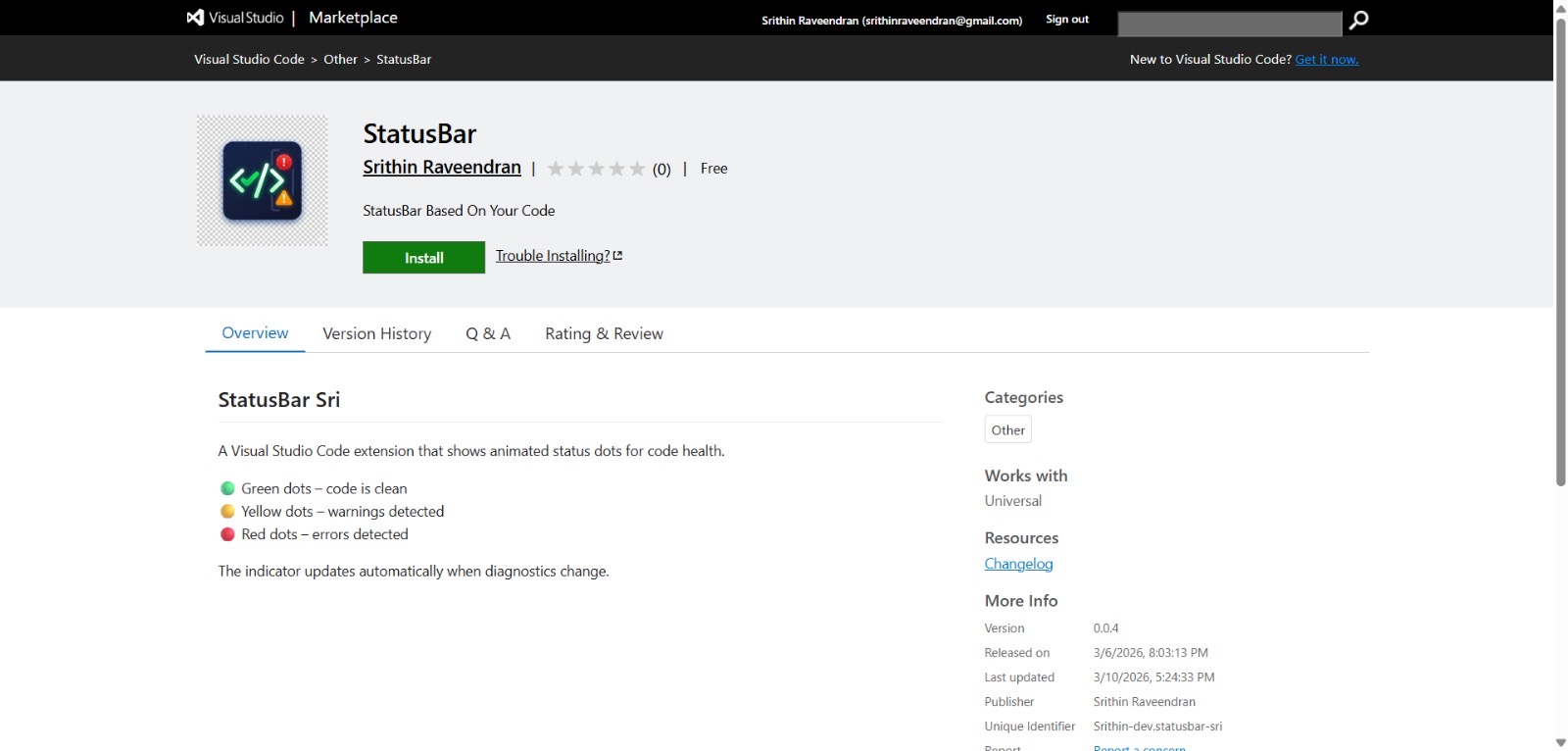
I used to think building an extension for Visual Studio Code was something only large companies or very experienced developers did. Recently, curiosity got the better of me — so I decided to try building one myself. After some experimenting, debugging, and a lot of learning along the way, I ended up creating a small VS Code extension called Status Bar. Instead of only relying on red squiggly lines inside the editor, this extension gives a quick visual signal directly in the status bar: 🔴 Three red dots → Errors in the file 🟡 Three yellow dots → Warnings 🟢 Three green dots → No issues detected The idea is simple: a quick visual cue about the health of your code without needing to scan the entire file. It’s a small UI/UX improvement, but building it was the real win for me. The process involved exploring new tools, experimenting with ideas, and realizing that creating developer tools isn’t limited to experts. If you use VS Code, feel free to check out the extension.
More like this
Recommendations from Medial







Saswata Kumar Dash
Buidling FedUp| AI R... • 8m
Forget Cursor — here’s your new Google Code Editor! Thanks, here you go! 👇 You can install Google Gemini Code Assist by following this simple guide: 🔗 https://codeassist.google/ ⸻ 🧩 How to Install: 1. Open your code editor (VS Code or Cursor).
See More





Sunil Huvanna
Building AI Applicat... • 1y
We r experimenting basic task execution abilites of AI on our platform these days. So we have integrated PNR Status check feature. Now u can ask AI to check the status of ur PNR number in the same interface & it comes back with the status. Classical
See More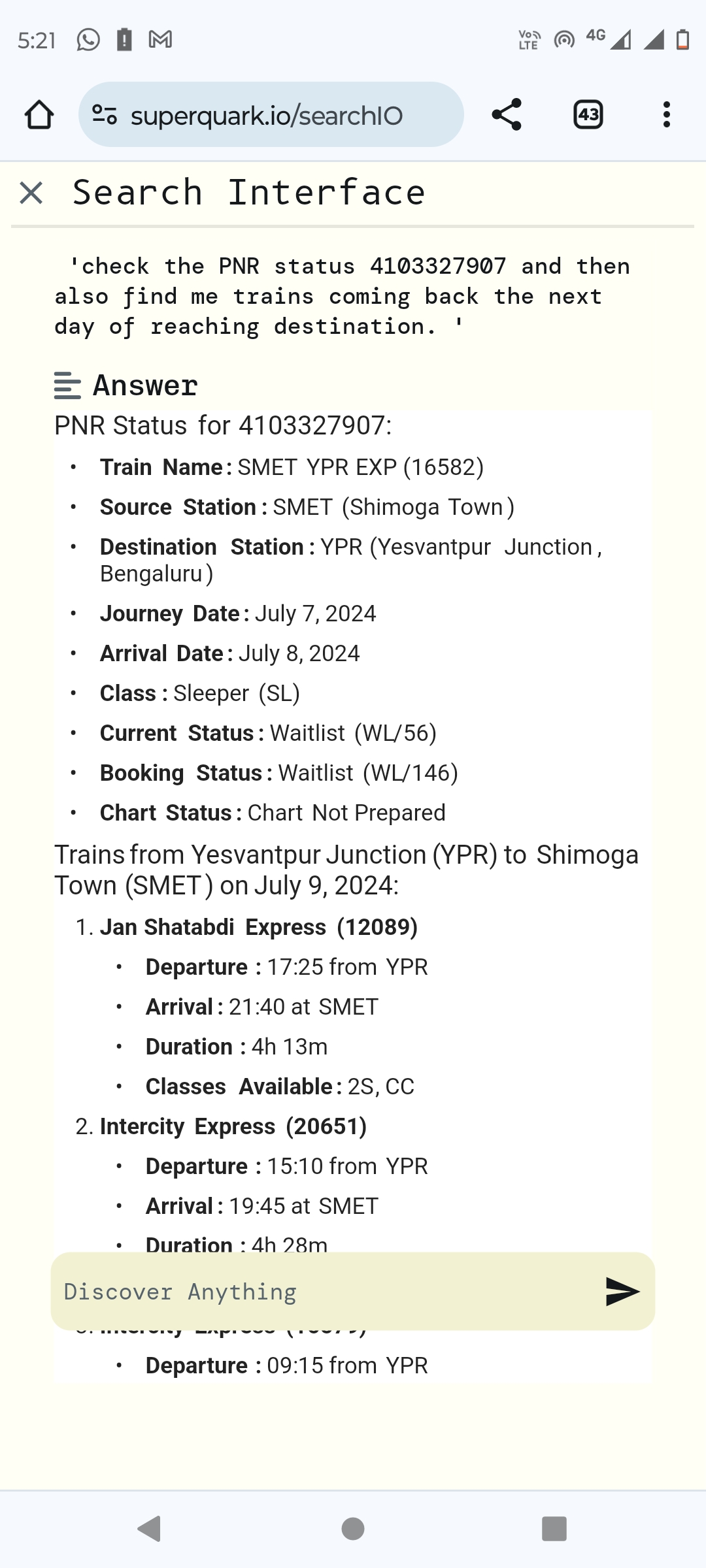

Harsha Gadde
Life is an art make ... • 1y
Hello guys I will tell you a very innovative story there is a professor who asked his students to make an automated water tap which release specific amount of water according to the QR or bar code placed on the tumbler in which he want to fill wate
See More


Jeevan
Learned a lot, a lot... • 9m
When I'm using the Medial app in light theme or in system theme, the status icons in the status bar turn into white colour due to which I'm unable to see those icons. Not sure if this is happening for all of you or just me. Maybe this was missed dur
See More

/entrackr/media/post_attachments/wp-content/uploads/2021/08/Accel-1.jpg)





















Download the medial app to read full posts, comements and news.